

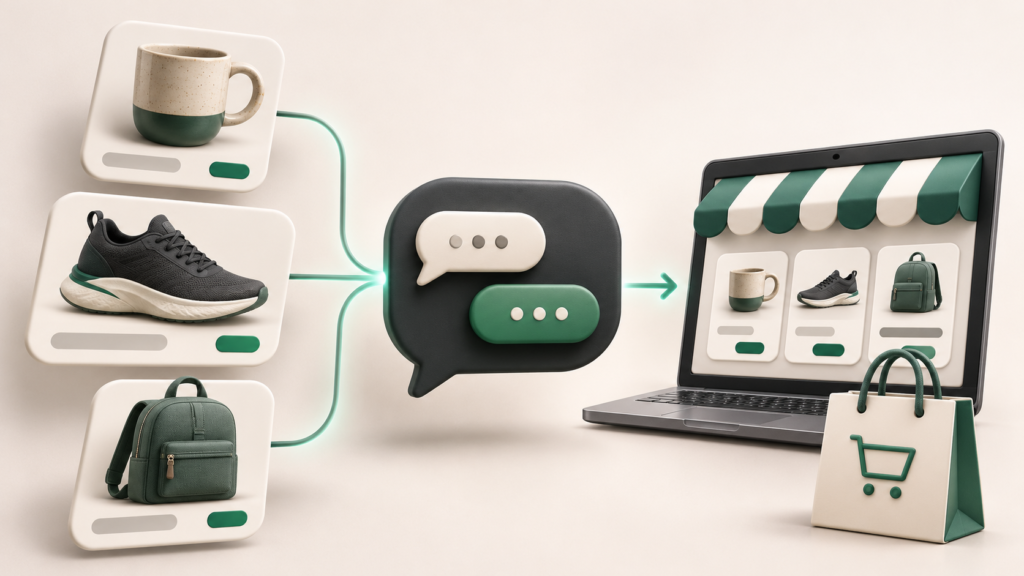
Want to add products to ChatGPT and turn customer interest into sales? Start by making your catalog available through the route your business qualifies for. Then check how customers reach your store and complete a purchase.
Uploading a catalog, publishing a Business Agent, and enabling checkout are separate steps. This guide explains each using official OpenAI documentation, building on our introduction to claiming and managing your business in ChatGPT.
Choose the right route for your catalog
- Business Hub: verified businesses can connect product information through the available feed options.
- Shopify: merchants should review their Shopify integration and storefront settings.
- Direct commerce integration: OpenAI’s developer onboarding currently requires approved-partner access.
The Business Hub guide describes CSV uploads and hosted feed URLs. The separate developer onboarding guide describes an approved-partner integration using SFTP. Follow the instructions for the route enabled for your account.
Step 1: Verify your business in Business Hub
Open Business Hub, select your business, and complete an offered claim-verification method. After claim approval, complete Persona identity verification before connecting a product feed. Availability depends on location, business type, and supported verification. Business Agents currently require an eligible US ecommerce or online service business with a website. Check OpenAI’s eligibility and verification instructions.
Our recommendation: use an account managed by an authorised representative and establish who will maintain catalog data. A successful initial upload is only the beginning; someone must own price, stock, and policy updates.
Step 2: Prepare product data using OpenAI’s specification
The official product file specification requires nine basic discovery fields. Submit a separate record for each purchasable item or variant.
| Field | What to provide |
|---|---|
item_id |
A stable, unique item identifier. |
title |
The item name and relevant variant. |
description |
A factual, plain-text description. |
url |
The public product detail page. |
brand |
The actual product brand. |
seller_name |
The seller offering the item. |
image_url |
A public, direct product-image URL. |
availability |
A supported value such as in_stock or out_of_stock. |
price |
A price with currency, such as 24.00 USD. |
Use UTF-8 encoding and keep IDs stable as prices change. Optional and conditional fields cover variants, shipping, returns, and other attributes. Consult the full specification before exporting; the table above is a starting checklist.
Step 3: Connect your feed or Shopify store
For Business Hub, upload a compliant CSV or supply a hosted URL pointing directly to the feed file. Connecting a feed neither publishes an agent nor guarantees a recommendation. Read the product-feed setup instructions.
For Shopify, OpenAI directs merchants to Shopify’s Agentic Storefronts guidance for eligibility, catalog access, settings, and order attribution. OpenAI’s Shopify shopping documentation explains that relevant stores may appear in ChatGPT and customers complete checkout on the merchant’s online store.
For approved direct integrations, apply through OpenAI’s merchant onboarding page. The developer guide recommends validating every record and maintaining a complete catalog snapshot at least daily. See the file-delivery documentation for the SFTP process and supported formats.
Step 4: Keep prices and availability current
OpenAI’s file-delivery guide recommends starting validation with roughly 100 items, reviewing the first full snapshot, and then automating updates. Stable filenames are important for that delivery route. Removing an item from a snapshot does not immediately erase its retained record; the documented retention period can extend to 14 days. Review feed refresh and removal behaviour.
Our recommendation: compare a sample of feed records with the live store after each catalog change. Include discounted, unavailable, and variant products in the review so problems are found before customers encounter them.
Step 5: Help shoppers evaluate products with a Business Agent
If eligible, review your agent’s product and policy information, preview customer questions, correct inaccurate answers, and publish when ready. Customers can chat only with a published agent. Follow OpenAI’s agent setup instructions.
For testing, we recommend questions that can change a buying decision: “Is this available in my size?”, “What is the return policy?”, and “Which option fits these requirements?” Check answers against your actual catalog and policies.
Step 6: Understand where the sale happens
For the Shopify experience described above, shoppers purchase on your store. Maintain a working path from product detail to payment, with accurate delivery information and clear returns policies.
OpenAI also documents a separate Agentic Checkout integration. It requires merchant checkout-session endpoints, authoritative cart information, order-event webhooks, and payment processing through the merchant’s existing provider. The product-file specification states that checkout needs a separately enabled integration. Uploading discovery data alone does not activate it.
For engineering teams pursuing this path, the checkout documentation covers request authentication, signature verification, idempotency, retries, and conformance checks. Confirm access and integration requirements before committing development effort.
Measure discovery and completed orders separately
We recommend tracking catalog freshness, ChatGPT referral visits, and completed purchases as separate measures. Use the attribution tools your commerce platform supports, and test that analytics preserve the customer journey into checkout. Product visibility is useful evidence of discovery; revenue requires verified order data.
Official documentation and your next step
- Business Hub setup and product-feed connection
- Product fields and catalog specification
- Approved-partner commerce onboarding
- File delivery, validation, and updates
- Checkout integration documentation
- OpenAI GPT API documentation for separate custom application development.
Begin with eligibility and catalog readiness, then validate the purchase journey available to your store. For help preparing product pages, structured information, and measurement, explore Quinoid’s AI search optimization services or discuss your ecommerce requirements.
Prepared using official OpenAI documentation checked on November 12, 2026. Availability and specifications may change; verify the linked instructions before implementation.
Put these ideas into practice
Explore where AI could help your business.
Discuss your workflow, available data, and the result you want before deciding what to build.