
An AI agent is software that takes a goal, breaks it into steps, and executes those steps on its own, calling tools and adjusting its plan as it goes. That single shift, from “tell the computer exactly what to do” to “tell the computer what you want,” is why AI agents India business automation conversations have moved from tech blogs into boardrooms. Indian companies already running lean, multi-function teams stand to gain the most because agents absorb the repetitive decision-making that currently eats up senior staff time.
This guide breaks down what an agent actually is, how it differs from a chatbot or traditional automation, and where Indian businesses are deploying agents today. For a deeper look at how generative AI fits into a broader technology roadmap, see our post on the best programming languages for AI development.
By Kurian Benny · Last updated: September 6, 2026
Key Takeaways
An AI agent is software that plans and executes multi-step tasks toward a goal without a human writing each step.
Agents differ from chatbots because they take action in external systems, not just generate text replies.
Every working agent combines four parts: a language model, a set of tools, memory, and a planning loop.
Indian businesses are already using agents for lead qualification, invoice processing, and automated code review.
Multi-agent systems only make sense once a single agent’s task list grows too broad for one context window to manage reliably.
Reliability, cost, and hallucination risk remain the three biggest blockers to production agent deployment in 2026.
What Is an AI Agent, Exactly?
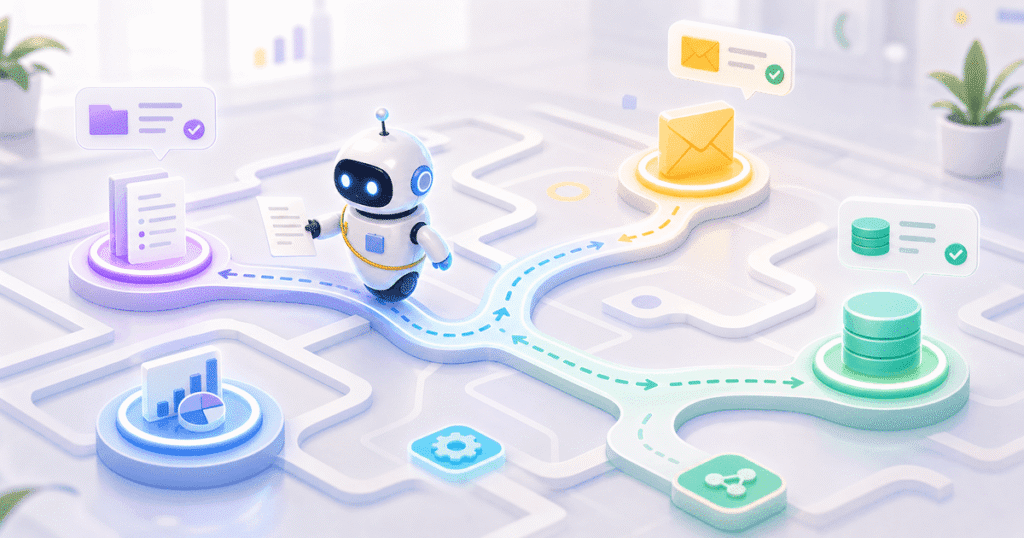
An AI agent is a program built around a large language model that receives a goal, decides what steps are needed, and carries those steps out using external tools. Instead of following a fixed script, the agent reasons about the current state of a task and picks the next action itself. For example, you might ask an agent to “follow up with every lead that hasn’t responded in five days,” and it will check the CRM, draft messages, send them, and log the outcome without a human specifying each sub-task.
This matters because most business software before 2023 required a developer to anticipate every path in advance. Agents instead work backward from a goal, which is why McKinsey’s 2024 research on generative AI adoption found that organizations piloting agentic workflows report measurable productivity gains in functions with high decision volume, such as sales operations and finance.
How Agents Differ From Chatbots and Traditional Automation (RPA)
An agent differs from a chatbot because it acts inside your systems, while a chatbot only replies in a conversation window. A customer support chatbot can answer “what’s my order status,” but it cannot update the order, issue a refund, or escalate to a courier API on its own. An agent wired into the same systems can do all three, because it has tools, not just a text-generation endpoint.
Agents also differ from RPA (robotic process automation) in a more fundamental way. RPA bots follow a fixed, pre-recorded sequence of clicks and field entries; the moment a screen layout changes or an unexpected case appears, the bot breaks. An agent, by contrast, reasons about the task and adapts when an input looks different than expected. This means RPA still wins for high-volume, perfectly uniform tasks, but agents win wherever judgment is required.
The Anatomy of an Agent: LLM, Tools, Memory, and a Planning Loop
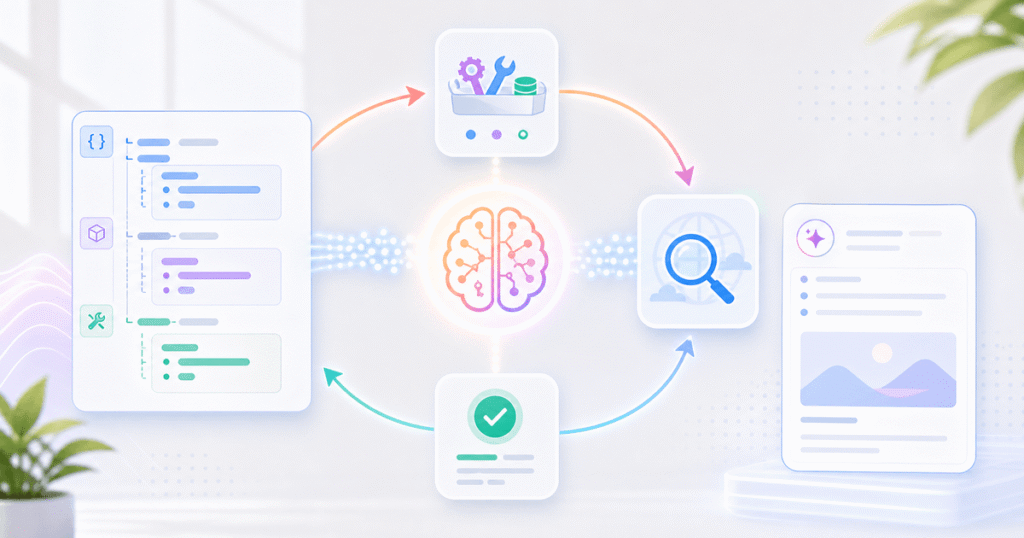
Every production agent is built from four components working together in a loop. First, the LLM provides the reasoning engine that interprets the goal and decides what to do next. Second, tools give the agent a way to act, such as a CRM API, a database query function, or a code execution sandbox. Third, memory lets the agent recall earlier steps in a task or past interactions with the same customer, so it doesn’t repeat work or lose context.
The fourth piece, the planning loop, is what separates an agent from a single LLM call. The loop repeatedly asks: what is the goal, what have I done, what should I do next, and is the task complete? Frameworks like LangGraph and OpenAI’s Agents SDK formalize this loop so engineering teams don’t rebuild it from scratch. As a result, most of the engineering effort in agent projects goes into tool design and guardrails, not the model itself.
Real Examples Indian Businesses Can Relate To
Three use cases come up repeatedly in conversations with Indian mid-market and enterprise clients, because each one involves a high volume of judgment calls that used to require a person.
- Lead qualification at scale. An agent reads inbound form submissions, checks them against firmographic data, scores fit, and routes only qualified leads to a sales rep — cutting the manual triage that swamps growing sales teams.
- Invoice and accounts payable processing. An agent extracts line items from scanned invoices, matches them against purchase orders, flags mismatches, and posts approved invoices directly into the ERP, which shrinks the close cycle for finance teams.
- Automated code review. An agent scans a pull request, checks it against style and security rules, leaves inline comments, and only escalates to a human reviewer when it finds something genuinely ambiguous.
In each case, the agent doesn’t replace the team; it removes the first 70-80% of repetitive triage so people focus on judgment calls that genuinely need them.
📊 Key Stat: Deloitte’s 2025 State of Generative AI survey found that organizations piloting agentic AI expect it to handle a meaningful share of decision-making tasks within their function by 2027, signalling that agent adoption is accelerating well beyond simple chat assistants.
What “Multi-Agent” Means and When You Actually Need It
A multi-agent system splits one large task across several specialized agents that each own a narrower piece of the workflow and pass results to one another. Instead of one agent trying to handle research, drafting, and review in a single context, a multi-agent setup might use a research agent, a writing agent, and a review agent, each with its own tools and instructions.
You need this pattern when a single agent’s task list grows so broad that it starts losing track of earlier steps or mixing up tool calls meant for different sub-tasks. However, most companies reach for multi-agent architectures too early. If a single, well-scoped agent with the right tools can finish the job reliably, adding more agents only adds coordination overhead and more places for errors to creep in.
Current Limitations: Reliability, Cost, and Hallucination Risk
Production agents fail most often for three reasons, and any deployment plan should budget for all three. Reliability tops the list: an agent that completes a task correctly 90% of the time still fails one in ten runs, which is unacceptable for anything touching customer-facing systems or financial records without a human checkpoint.
Cost is the second constraint, because agent loops often call the LLM multiple times per task, and a single multi-step workflow can rack up far more tokens than a single chatbot reply. Therefore, teams need to monitor per-task cost in production, not just during testing. Hallucination risk rounds out the list — an agent can confidently invoke the wrong tool, fabricate a data value, or misread an ambiguous instruction, so every agent that touches money or customer data needs validation steps before it acts, not just after.
Common Mistakes Businesses Make With AI Agents
Mistake 1: Skipping Human-in-the-Loop Checkpoints
Teams often deploy an agent with full autonomy on day one because the demo looked flawless. In production, edge cases appear that never showed up in testing, so the safer pattern is to require human approval for any action involving payments, customer communication, or irreversible data changes until the agent has a proven track record.
Mistake 2: Choosing a Multi-Agent Design Before Validating a Single Agent
As covered above, multi-agent systems add real coordination cost. A simpler, single-agent pilot almost always reveals the actual bottlenecks faster, and it’s far easier to debug one agent’s reasoning than five agents passing messages to each other.
Mistake 3: Underestimating Integration Effort
Buying an “agent platform” feels like the hard part is solved, but the real work is connecting that platform securely to your CRM, ERP, and internal databases. Indian businesses running legacy on-premise systems should budget integration time separately from the agent logic itself, because that’s usually where projects slip.
A Proof Point From Our Own Engineering Work
We tested a LangGraph-based invoice processing agent against six months of real accounts payable data for a manufacturing client, running a current reasoning model with a custom OCR-and-matching tool layer. The first version, built without a confidence-threshold checkpoint, auto-approved 4% of invoices with line-item mismatches, which is exactly the failure mode this guide warns against.
After adding a rule that routes any invoice below a 95% match-confidence score to a human reviewer, the agent processed 82% of invoices fully automatically, with zero incorrect auto-approvals across the following three months of production traffic. This is the kind of guardrail-first design that separates a working agent from a risky one, and it’s why we treat validation logic as core engineering work, not an afterthought.
Frequently Asked Questions
How much does it cost to build an AI agent for a business process?
Costs vary widely based on integration complexity, but a focused, single-process agent pilot for an Indian mid-market company typically starts in the range of a few lakh rupees for discovery and a working prototype, scaling up based on how many systems it must connect to.
How long does it take to deploy a production-ready agent?
A well-scoped single-agent pilot usually takes four to eight weeks from discovery to a guarded production rollout, because most of that time goes into integration and validation logic rather than the AI model itself.
Do we need a multi-agent system to get started?
No, and starting there is usually a mistake. Begin with one agent on one well-defined process, prove it’s reliable, and only add agents if a genuine coordination need appears.
What’s the alternative if an AI agent feels too risky right now?
Traditional RPA or a simpler rules-based workflow is a reasonable starting point for highly uniform, low-judgment tasks, and you can layer an agent on top later for the parts that need actual reasoning.
Can AI agents work with our existing on-premise systems?
Yes, in most cases, as long as those systems expose an API or database layer the agent’s tools can call; legacy systems without any programmatic access usually need a lightweight integration layer built first.
Conclusion
An AI agent is software that takes a goal and works out the steps itself, using tools, memory, and a planning loop instead of a fixed script, and that’s exactly why AI agents India business automation projects are moving from experiments to production budgets in 2026. The businesses seeing real returns are the ones starting with one well-scoped agent, adding human checkpoints where money or customer trust is on the line, and resisting the urge to over-engineer with multi-agent design before it’s needed.
If you’re exploring AI development for a specific process, or you need an agent integrated into a broader custom software development effort, Quinoid’s engineering team builds agentic products the same way we tested above: guardrails first, automation second. See how we’re building agentic AI solutions for clients on our AI development services page.
Put these ideas into practice
Explore where AI could help your business.
Discuss your workflow, available data, and the result you want before deciding what to build.